Lightweight self-hosted network monitoring and alerting
- JavaScript 48.7%
- Python 30.2%
- CSS 18.6%
- Dockerfile 1.8%
- HTML 0.7%
| Filename | Latest commit message | Latest commit date |
|---|---|---|
| .vscode | ||
| api | ||
| daemon | ||
| frontend | ||
| .gitignore | ||
| docker-compose.yml | ||
| README.md | ||

SentinelWatch
SentinelWatch is a lightweight, self-hosted network monitoring solution that keeps an eye on your devices and alerts you when things go down. It features a Python-based daemon for continuous tracking, a fast FastAPI backend, and a modern React dashboard to visualize your network's health.
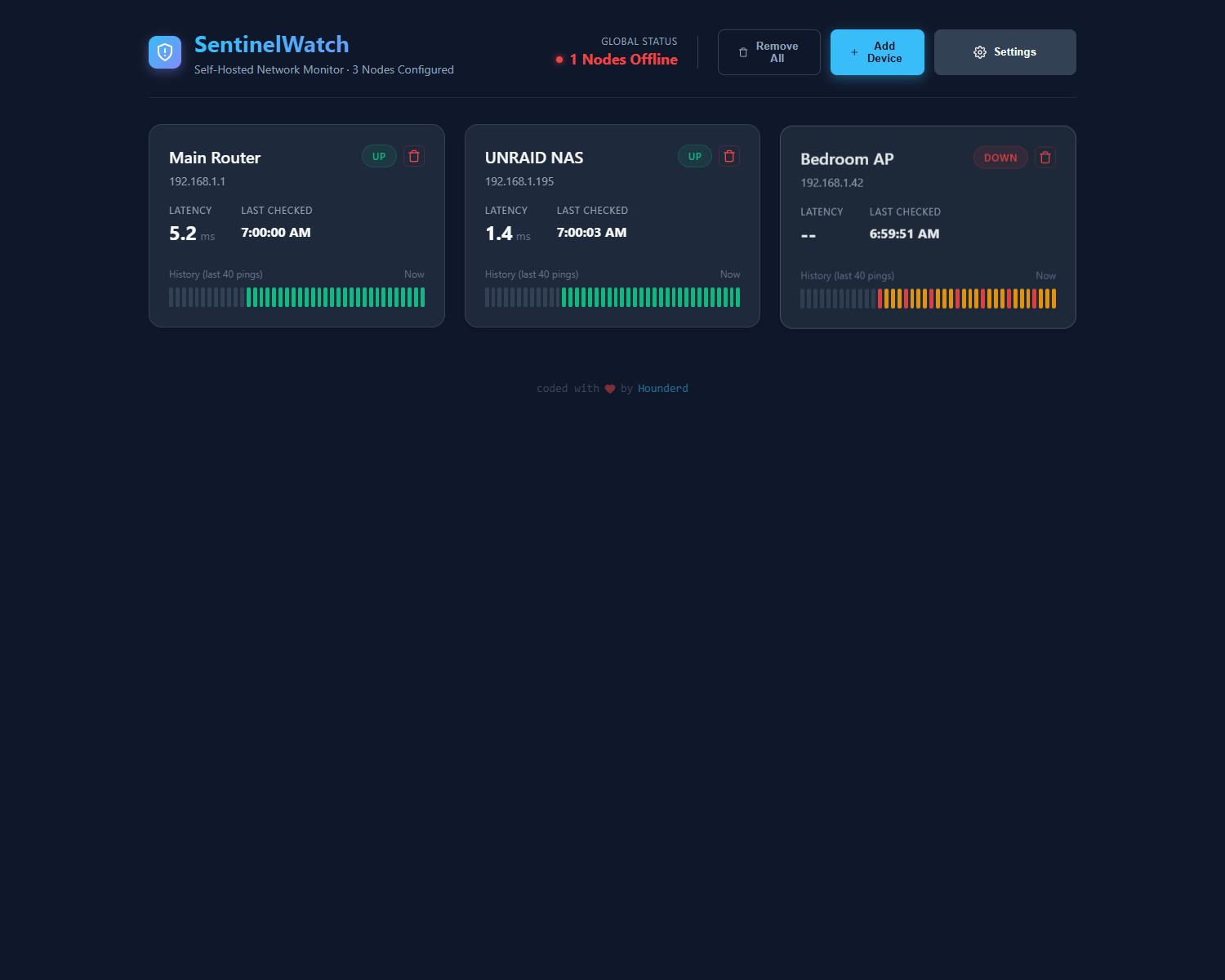
Features
- Continuous Ping Monitoring: Tracks latency and uptime for all configured devices.
- Real-time Dashboard: Modern, responsive React frontend.
- Alerting System: Built-in integration with Ntfy for push notifications to your phone or desktop.
- SQLite Database: Lightweight and simple storage—no complex database server required.
- Docker Ready: Easy to deploy with
docker-compose.
Services
- Daemon: A Python service that runs in the background, continuously pinging your managed devices and recording the results to an SQLite database.
- API: A FastAPI backend that serves the recorded ping data, current status, and device lists to the dashboard.
- Frontend: A sleek React dashboard to visualize latency, uptime historical data, and manage application settings.
- Ntfy: A self-hosted notification service included in the stack to receive alerts.
Quick Start
Prerequisites
Installation
-
Clone the repository:
git clone https://github.com/Hounderd/sentinel-watch.git cd sentinel-watch -
Start the services with Docker Compose:
docker-compose up -d -
Access the services:
- Dashboard:
http://localhost:3000 - API:
http://localhost:8000 - Ntfy Alerts:
http://localhost:8080
- Dashboard:
Configuration
You can easily manage devices and settings directly through the SentinelWatch dashboard at http://localhost:3000. Alerts and ping intervals will update on the fly!
Architecture
SentinelWatch uses a host-networked Docker container for the Daemon to ensure perfectly accurate ping metrics, entirely bypassing Docker's virtual network latency.
Created with ❤️ by Hounderd.